Month: December 2015

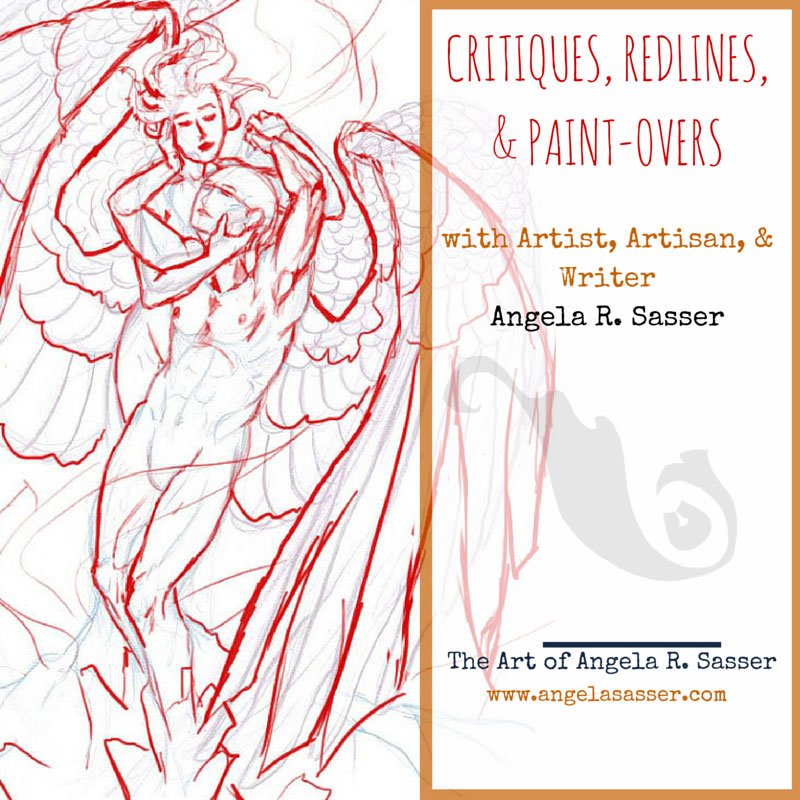
Patreon Update – Art Student Tier!

A brand new year is upon us and I’m rearing to get started on all the projects I have waiting in the wings!  With so much going on I’ve decided to pause the Mentorships I was hosting through Patreon so I don’t split my attention too much.

I know the mentorships have been helpful (and affordable) for aspiring artists, so I added a new Reward tier to take its place till I’m ready to host full mentorships again.  This new tier is called the Art Student!

With the Art Student tier, you’ll get the following:

  • Access to my usual Patreon Rewards from the prior tiers, including wallpapers, video walkthroughs, PSD files of my paintings, a PDF sketch diary, & the ability to participate in the inspiration prompt drawing each month.
  • A single paint-over OR redline per month for your work in need of critique! Additional paint-overs can be purchased separately at a discounted rate of 25% off for Art Students.
  • A narrated video of your critique will be recorded and uploaded privately for you to view at your leisure on YouTube. Critique videos will be fully detailed, providing advice and study resources.
  • A .PSD of your paintover/redline which you’re free to use as a base will also be provided!

Critiques will be delivered after the 1st of each month once the prior month’s pledges have been successfully processed. I aim to have them online within the first week of each month. You will be individually notified when your critique is available.

Questions, comments, or suggestions?  Feel free to drop me a line in the comments or via email! There’s no greater joy than unlocking the potential of a piece of art, so I’m excited to see what you all might throw at me!

Art in the thumbnail by Jude Mayr with a redline by me.

Art Goals for 2016

At the beginning of every new year, I like to set myself a few goals, as opposed to New Year’s Resolutions which always seem to fall to the wayside for me.  I usually have a thousand ideas going in on my brain, so doing this activity also helps me wrangle them into a format that helps me remember what I want to be focusing on.

First off, let’s see how I did with my 2015 art goals!

2015 Art Goals

1.  FINISH PD1! And my other online courses (Figure Drawing Fundamentals and Fundamentals of Color and Light).

Alas, I still didn’t finish Proko’s Figure Drawing Fundamentals or Painting Drama, though I made a lot of headway starting Painting Drama over from the beginning. It was making much more sense a 2nd time around, despite the fact I got waylaid by horrible life events and never finished…again.

2.  Finish my Rapunzel comic after all these years! It’s very nearly done.

YES! I finished this project that I’ve been working on since senior year in college!  You can read the whole thing here.

3.  Finish my cover portfolio and submit it to my target publishers.

I turned my portfolio in to a couple of my target companies, but never heard a word back.  Here’s hoping that more no’s (or never hearing back) will equal a single ‘yes’ some day, but I’m going to keep myself busy with my own IP’s in the meantime!

4.  Fully launch my art book review and resources site, The Muse’s Library.

I managed to get The Muse’s Library up as a blog and Patreon, as well as sync my current stock gallery to the new brand name! It’s all set and ready to expand.

5.  Teach myself how to make a music video just because it looks fun!

I DID IT!  I created my first anime music video for Vampire Hunter D Bloodlust!  It’s a little rough around the edges, but I learned a lot and hope to have fun with more videos in the future!  Video editing is becoming another hobby of mine.

6.  Spend more time writing for my novel-verse. I miss writing!

I managed to create a mock up book trailer during my IP Development Mentorship, write a fully detailed 3 act synopsis for Book 1 and finish all of the basic character bios.  I’ve taken some giant steps forward in preparation for my first novel this year!  I still have such a long way to go, but as they say, every journey begins with a step!

7.  Draw/write enough to publish a yearly sketchbook.

I think I’ve done enough Monster Girls for a little booklet, though it’ll probably be a coloring book instead of a sketchbook.

8.  SmartSchool/IMC???

Alas, I didn’t have enough funds to do either this year.  I’m still saving and hoping.  I’m considering a GoFundMe if it seems like we can’t get enough funds on our own within the next couple of years.  I’m also considering doing a writer’s retreat instead, if my focus is going to be writing this year moreso than art.

9.  Get out of the house more!

I did okay at this.  I occasionally made it to geek trivia with friends and did art meet up with other friends.  My motivation died off pretty early on though thanks to extreme stress and illness, however.

10.  Exercise and eat better!

My SO’s illness this year which requires low sodium has inspired the both of us to eat much better now.  A bad reason, but a good result!


2016’s Art Goals…starting NOW!

  1. I finished Rapunzel so now it’s time to create a special ebook edition with unpublished sketches and try to publish it on ComiXology or elsewhere.
  2. Continue (and hopefully finish) the Ladies of the Months series! I have big plans to expand this IP into a lot of different things once they’re done (calendars, a sketchbook, coloring book, etc.).
  3. Wrap up the Monster Girls and produce prints, stickers, and coloring pages of them.
  4. Finish world-building prep and get my first draft for Song of Exile finished! (Or I’ll settle for at least 3 chapters, instead)
  5. Create basic character concept sheets for all main characters in Song of Exile for concept art practice.
  6. Start publishing video reviews of art books for The Muse’s Library!
  7. Finish up Painting Drama, Proko’s Figure Drawing Fundamentals, CtrlPaint’s Concept Art Portfolio Builder, and Color and Light with Schoolism.
  8. If I can get the Monster Girls and Ladies of the Months wrapped up, start back on my Kushiel’s Legacy cover redesign and illustration project over at Kushiel Concepts!
  9. If I can get enough new work produced, start hitting up conventions again! I’m not rushing this one, however.
  10. Go to a park or museum I’ve never been to before and sketch!

That’s a lot for me to try to do in a single year, but I’d rather aim high and see how it goes!  What are you all hoping to achieve this year?  Give me your top 10 art goals!
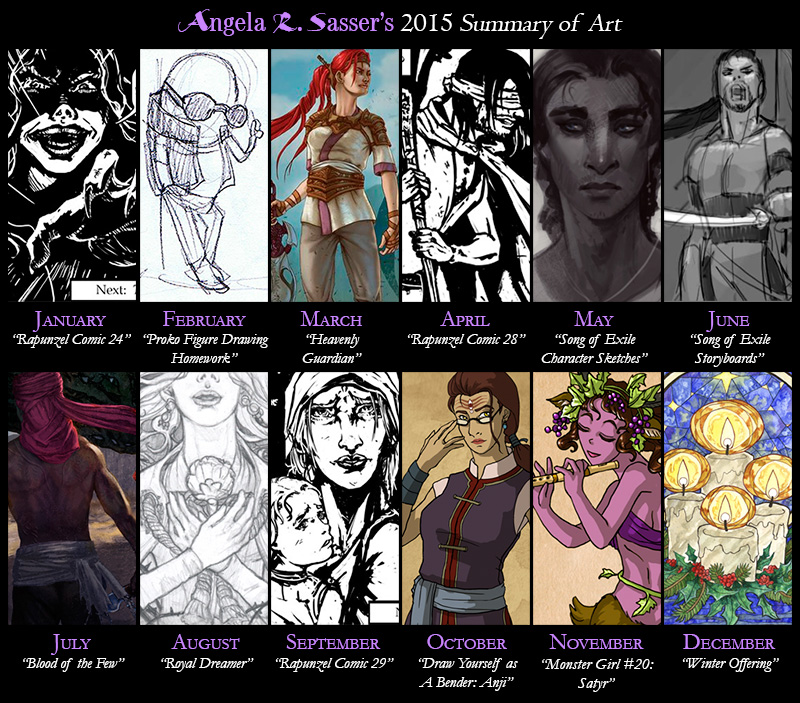
Summary of Art 2015

Thoughts on 2015 – It’s been a tough year, no lie.  A lot of IRL challenges meant I spent a lot of time off instead of making art and that sent me into a spiral of depression that was hard to escape (I’m still not completely out of it).  When I was finally able to get back to creating art, I had to drag it out of myself.

On the upside, I completed The Rapunzel comic, which has been in the making for years!  I also finished the IP Development Mentorship with Robot Pencil and laid the seeds to a fantasy story I’ve been working on for over 10 years now and that’s something I’m majorly proud of!

My best piece this year was probably Blood of the Few.  I really pushed myself to strive for something different and cinematic!  This piece plus all the other work I did for the mentorship was yet another step in the direction of a personal project (Song of Exile) that I really want to push forward with in a major way in the near future.

Next Year – I’ve decided to do more writing and have planned to split my schedule between wrapping up some of my ongoing art projects so I can dedicate myself fully to Song of Exile.  If there’s anything I’ve learned from our trials this year, it’s that life’s too short to wait on doing those things you’ve always wanted to do!

List of Art for 2015’s Summary
Last year’s Summary of Art:
For an expanded look back of my progress as an artist, check my other art progression meme.  It has my art since the age of 9!

Sketch Diary – Satyr


Inspiration

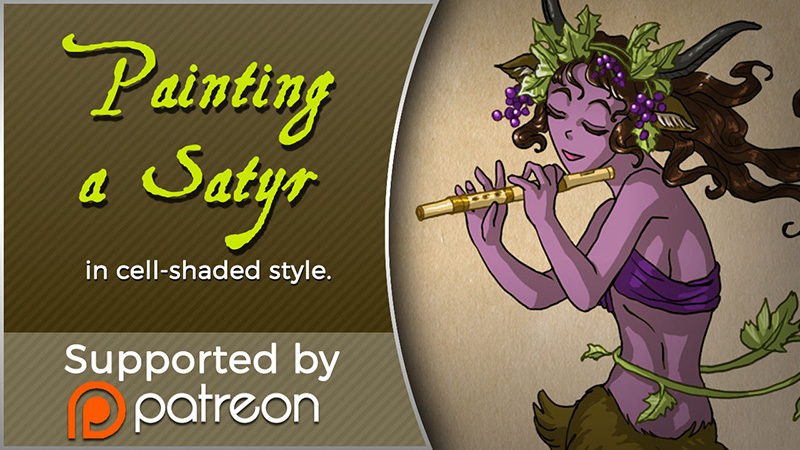
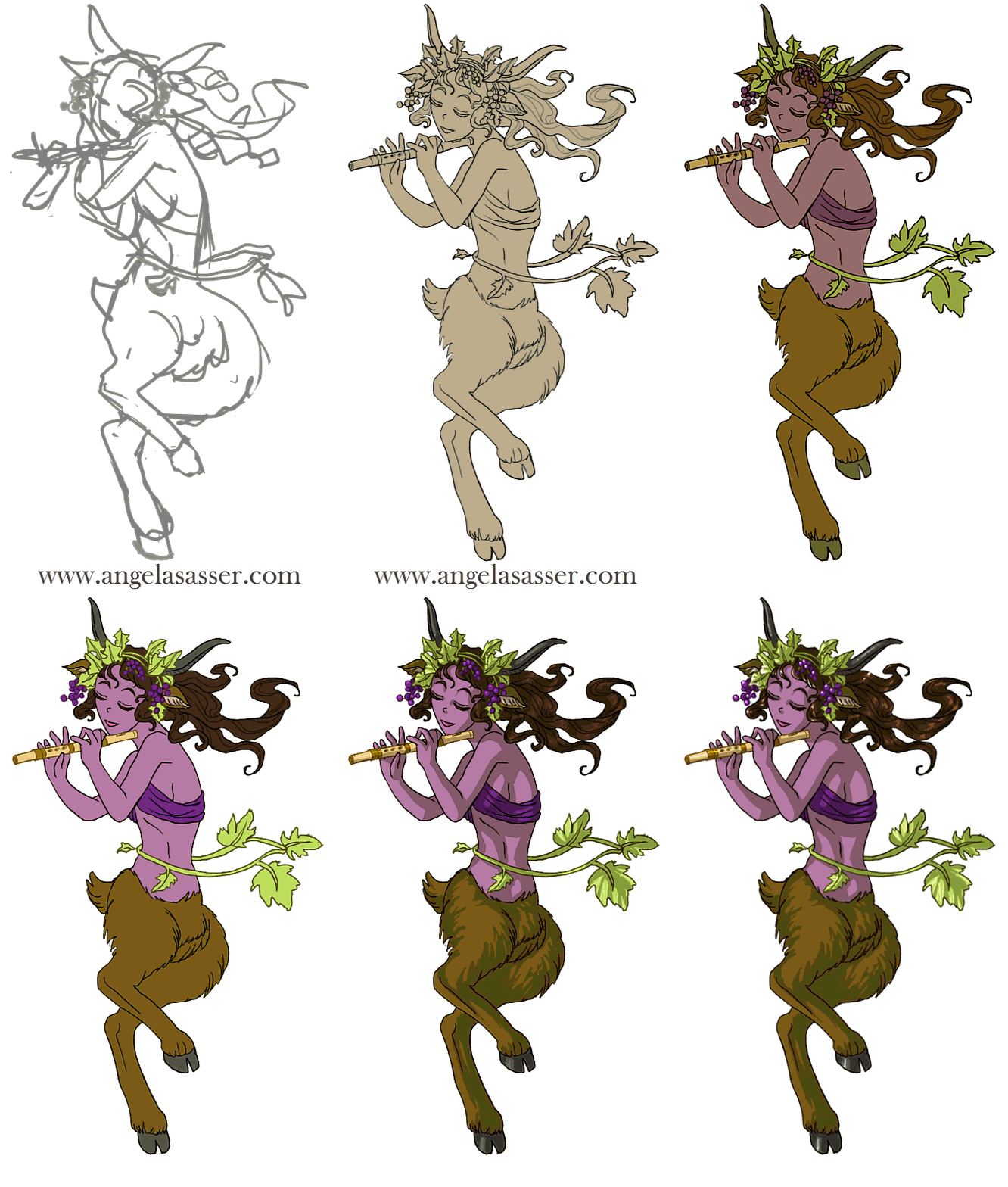
Today I’ll be talking about how I created Satyr for the 30 Day Monster Girl Challenge.  For my version of Satyr, I went with my own fantasy twist of a well-known figure from Greek and Roman mythology.

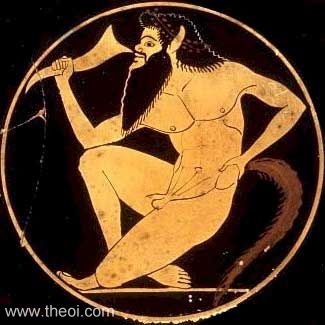
The Satyr of myth is usually a mischievous male with the lower body of a goat who is known to lecherously pursue nymphs and dryads.  The Satyr were also drinking buddies with Dionysus, the god of wine and merriment.

For more about the Satyr, check out one of my favorite Greek mythology resources, http://www.theoi.com.


Tools and Techniques

For this painting, I used Photoshop CC and a Wacom Cintiq 21UX.

Concept Inspiration

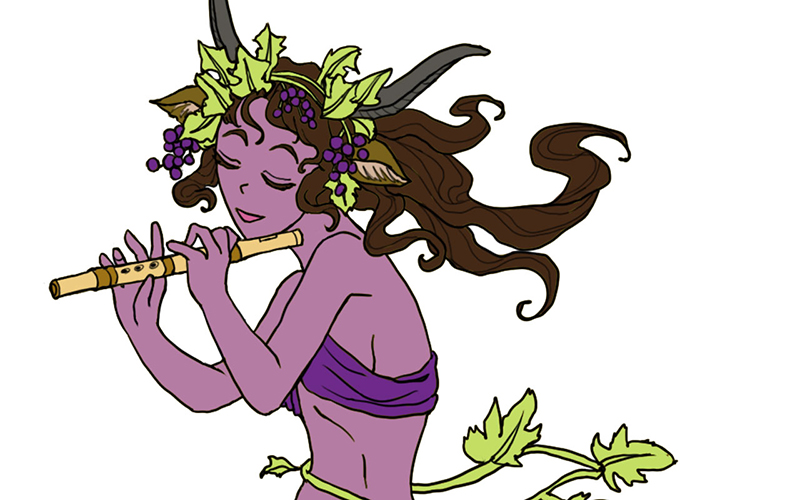
For my Satyr girl, I wanted to go with the theme of grapes to honor Dionysus and his wine, so she ended up with a purple complexion crowned with grapevine adornments.  Like many Satyrs, she is also a player of instruments, in this case a flute.


References

A selection from my references for Satyr.

monster-girls-satyr-refs


Art Process

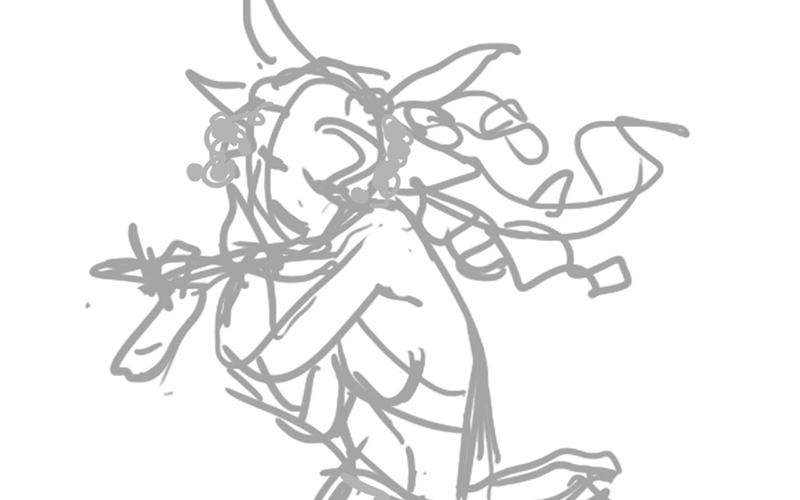
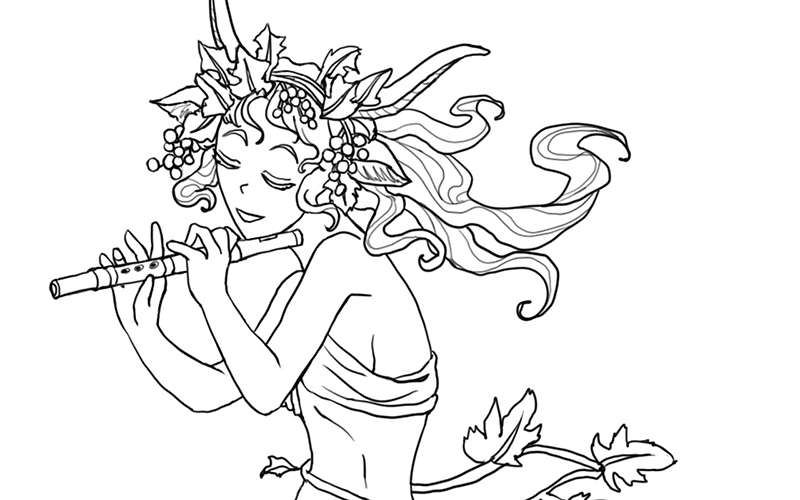
Step 1. Quick digital gesture drawing done to capture the movement and energy of the pose. This isn’t very precise and is more about energy than accuracy.wip-satyr-01


Step 2:  A cleaner line art is drawn on a layer atop the gesture. I used Lazy Nezumi Pro set to ‘subtle’ to help stabilize my lines in Photoshop and make them smoother.

wip-satyr-02


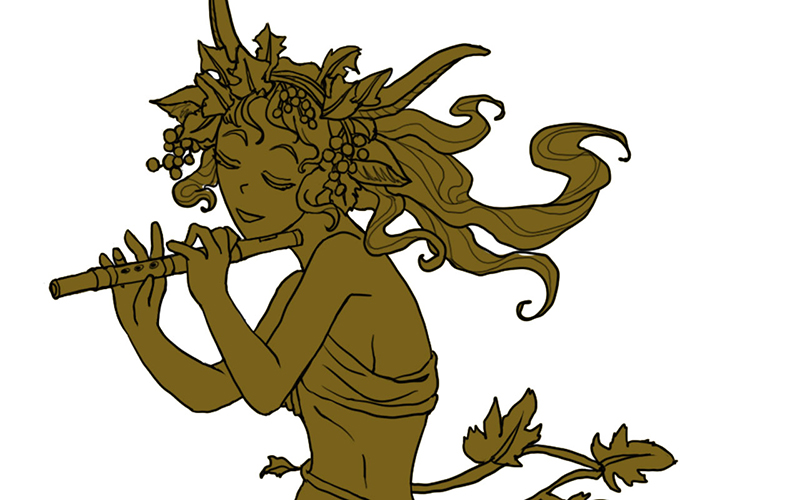
Step 3:  Added a base layer of color so no background color will accidentally show through.wip-satyr-03


Step 4:  Added the flat colors after much deliberation on what her skin color should be.wip-satyr-04


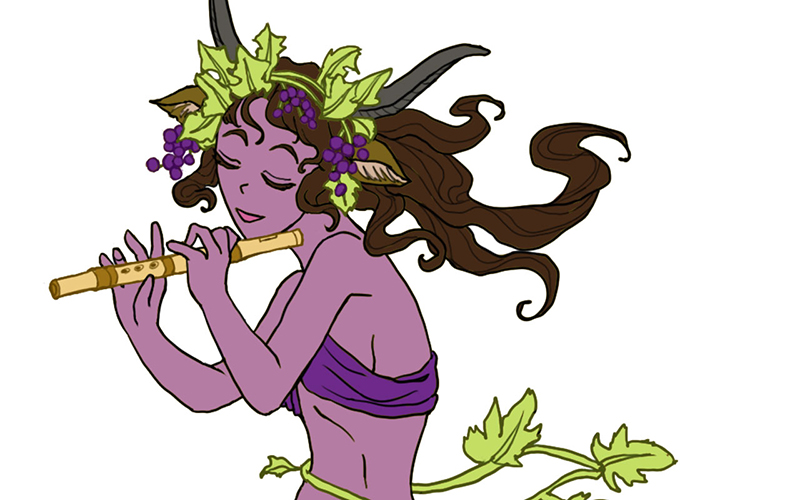
Step 5:  Colorized the lines to make the grapes, grapevine, and flute stand out.wip-satyr-05


Step 6:  Added a shadow layer using warm grey above everything clipped to the Group and set to Multiply.wip-satyr-06


Step 7:  Added a highlight layer painting in white set to Overlay. Also clipped to the Group.wip-satyr-07


Step 8:  Final touches of pure white in key places such as the leaves, grapes, and hair to help lead the strengthen the focus, flow, and dimensionality of the piece.

wip-satyr-08


For more in-depth instruction on how I created this image, Pledge to any $10 and up level at my Patreon to gain access to the narrated video tutorial!  You can also buy the individual tutorial separately at my Gumroad shop, but you won’t receive the other extras you would by purchasing via Patreon.

You can watch a video preview of the tutorial for Satyr without narration here:


Does it Pay to Specialize as an Artist?

I was quoted in an article over at CreativeBloq, “Does it pay to specialise as an artist?” 
Featuring some familiar faces and some of my own art and thoughts as well!  I’ve struggled for years to find my artistic voice and sort out my passions from my wide array of interests. Hopefully these words of wisdom help others figure things out for themselves as well!

Patreon Project Kit for Artists

Cross-posted from The Muse’s Library.

I’ve been on Patreon now for about a year since the site went live. I’ve tried a lot of different experiments in that time and have built a small, but dedicated following via this community-driven site. I’m a firm believer that crowd-funding is the wave of the future and the core building block of a growing breed of artist-entrepreneurs.

I thought I’d share that spirit of giving by sharing the structure, templates, and other resources that keep my Patreon ticking!  I hope it helps other artists out there considering promoting their projects via this site.  Let’s make a Patreon!

Patreon Profile Image

Release Schedule

When you set up your account, it’s important to have an idea of how and when your releases will occur and also other notices you’d like to send to your Patrons so you can be aware of how much you might be spamming them at once so they don’t get fatigued by your posts. Mine go something like this:

– Last Day of the Month.  Patreon begins charging your Patrons on the 1st of the month, so let’s start there!  The monthly image is uploaded. I only release one painting per month to keep things simple, but you may want to release more frequently! If I ever do more than one painting a month, I stagger out my releases so that there’s always one being posted per month.  However, I do not charge monthly because I am a slow worker and I’d rather my Patrons only get paid when I release a painting, rather than taking a chance that they might not receive anything if I’m not productive enough.

– Within the First Week of the Month.  Rewards for all levels are posted in individual posts (one for each tier) and a PM is sent out regarding my Keyword Inspiration sketch (an event I hold monthly for $5+ Patrons where they turn in prompts and I draw the most inspiring prompt).

– The 15th of Every Month.  A mid-month reminder post reminding people to attend my monthly Studio Hangout (with a link to the Event on Google+), sharing a WiP of that month’s art, and any other important reminders that might be relevant. The 15th is also my internal deadline to have the physical Rewards mailed out.

Last Wednesday of Every Month.  A link to the recording of my live Studio Hangout is posted.  The recording is auto-generated by Hangouts and posted to YouTube for me, which makes things easy.

Digital File Rewards

Digital Rewards are the cornerstone of any Patreon since they’re easy to fulfill and require less of an expense on the artist’s part. Here are a few ideas for distributing digital items.

Patreon Attachments. The downside is a user might have to sift through a lot of posts to find the older Rewards that wouldn’t have been emailed to them. Storing a master list with links that you can link Patrons to in a private Rewards post is another idea to help keep track of older Rewards for new users.

DeviantART’s Sta.sh. DA’s sta.sh allows for private viewing of file links for anonymous viewers who have the url. You can store any kind of file (image, video, etc.) and also ‘stack’ them if you have multiple releases you’d like to show at a single url. The current default limit for free users of DA is 2GB while Premium members get 10GB. Another random perk is that you can also hotlink to sta.sh files if you are embedding images into html on other sites.

YouTube. YouTube allows you to upload videos at private links (called ‘unlisted videos’) that are only accessible to those who have the link.  It’s a good alternative if you want to offer a streaming option for videos instead of requiring a complete download of the entire file.

Private Journal Entries

Sharing exclusive posts can really make Patrons feel special! However, Patreon’s current journal function is very limited and doesn’t allow images and text to be formatted easily. For this reason, here are some suggestions for ways to share private journals:

WordPress Public Draft Previews. If you run a site built with WordPress, the Simple Preview plugin allows you to share a link to a Draft which is private and only accessible by those who know the url. The downside is comments currently don’t function on these posts. A workaround is to disable comments on the post and request that Patrons comment on the original Patreon post that led them, including a link so they can easily access the correct url to post their comments.

DeviantART’s Sta.sh. While also useful for storing files, you can also use Sta.sh Writer to create more robust journal entries than Patreon currently does. These private journals also allow users to comment on them.

Physical Rewards

Postcard and Greeting Card Mailings. I use www.postable.com for a fast, secure, and easy solution for mailing out postcards (ie. Christmas cards, Thank You cards, etc.) to my Patrons. You can personalize your cards online, though they will not be handwritten.

Prints. I usually print off my own prints via an Epson Artisan 1430 which boasts lightfast inks and wide format printing (up to 13×19 inches), but when I need bigger and/or fancier prints (ie. giclee, canvas, mounted prints, etc.), I turn to www.iprintfromhome.com (tell them Angela Sasser sent you and we both get Thank You dollars when you make your first order!).

Reader Suggestions

Before I get to the Templates, I’d love to hear your reader suggestions in comments!
If you have any tips or resources you’d like to add that I find particularly helpful,
I’ll add your tip to this journal entry with a link to your Patreon page.
Let’s make this entry a great resource for the community!

Templates

It’s important to have a link to your Patreon wherever you promote your work. Here are a few buttons and banners to help you out with that!

Download the editable files all at once here.

Profile Image Montage:

Button:

Event Banner:

Logos: